


Voice search optimisation is the practice of adapting your website’s content, structure, and technical setup to match the conversational queries delivered to AI-powered assistants such as Google Assistant, Siri, and Alexa. As these assistants become the default search interface for millions of users, the gap between traditional SEO and voice-ready SEO widens fast. Ranking in voice results requires a different approach: natural language content, structured data, fast page speed, and clean semantic HTML. This guide gives digital marketers, SEO specialists, and small business owners the exact techniques to optimise website for voice search and win visibility where it matters most in 2026.
What are the key differences between voice search SEO and traditional SEO?
Voice search SEO and traditional SEO share the same foundation but diverge sharply in execution. Traditional SEO targets short, typed keywords such as “best running shoes.” Voice search targets full spoken questions such as “What are the best running shoes for flat feet?” That shift changes everything from keyword selection to content structure.
The core differences break down as follows:
- Query length and format. Voice queries average four to six words and follow natural speech patterns. Traditional queries are typically two to three words.
- Question-led intent. Voice searches begin with Who, What, Where, When, Why, and How. Content must mirror this structure with matching headings.
- Answer format. Voice assistants read a single answer aloud. Content must deliver a direct, concise response in one to two sentences before expanding.
- Mobile and speed dependency. Voice searches happen predominantly on mobile devices. Mobile-first indexing means slow or unresponsive pages are effectively invisible to voice assistants.
- Schema markup. FAQPage and Speakable schema signal to voice assistants which content blocks are answer-ready. Traditional SEO rarely requires this level of structured data.
- Local intent. 76% of voice searches carry local intent. That figure dwarfs the local proportion of typed queries and demands a dedicated local SEO response.
Understanding these differences is the prerequisite for any effective voice search strategy. Without them, you are applying the wrong tools to a fundamentally different problem.
How to conduct effective keyword research for voice search optimisation
Keyword research for voice search starts with questions, not head terms. The goal is to find the exact phrases people speak aloud, not the shorthand they type.
- Use Google Search Console query analysis. Filter your queries by question words (Who, What, How, Where, Why). These are your existing voice-friendly entry points. Prioritise the ones already generating impressions but low clicks.
- Use Answer the Public. This tool maps question-based queries around any seed keyword. Enter a topic and extract the full question clusters your audience actually asks.
- Analyse featured snippet opportunities. Pages that hold a featured snippet are the most likely candidates for voice assistant responses. Identify queries where a snippet exists and your page is not yet the source.
- Include natural filler words and local modifiers. Phrases like “near me,” “open now,” and “best in London” reflect real spoken behaviour. Build these into your content naturally.
- Test queries on actual devices. Ask Google Assistant, Siri, or Alexa your target questions. Note which pages they cite and what format those pages use. This is the fastest competitive intelligence available.
Pro Tip: Run your shortlisted voice keywords through Google Search Console and cross-reference them with your existing content for SEO. You will often find that minor rewrites to existing pages, rather than new content, are enough to capture voice queries.
The most common mistake at this stage is targeting the same head terms you use for traditional SEO. Voice search rewards specificity. A page optimised for “accountant London” will not rank for “Who is the best accountant for small businesses in London?” without deliberate restructuring.

Which on-page content strategies boost voice search rankings?
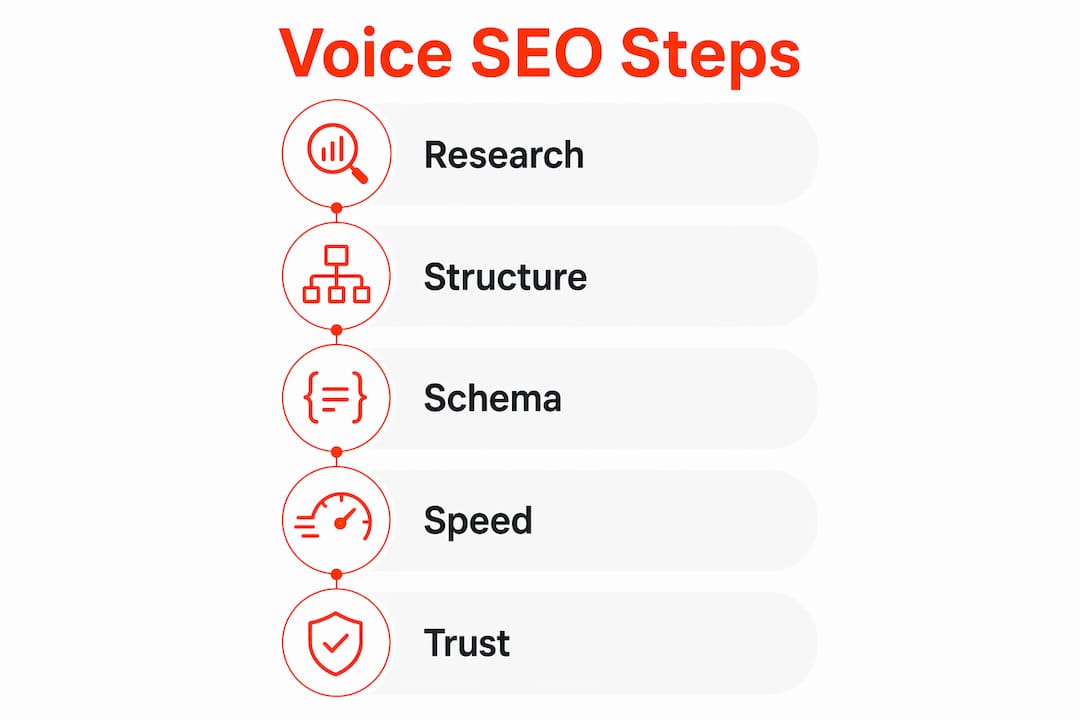
Content structure is the single biggest lever for improving voice search rankings. Voice SEO performs best on pages that provide clear, natural answer content with question-based headings and direct responses. The following framework applies to any page you want to make voice-ready.
Write a direct answer first
Place a one to two sentence answer immediately after every question heading. This is the block a voice assistant will read aloud. Keep it under 30 words. Expand with detail in the paragraphs that follow.
Use question-based headings
Structure H2 and H3 headings as the exact questions your audience asks. “How do I register a limited company in the UK?” outperforms “Company registration process” for every voice query on that topic.
Build FAQ sections with schema markup
FAQPage schema boosts voice result selection by a third. Every FAQ section should be marked up with FAQPage structured data so assistants can extract individual question-and-answer pairs directly.
Write in natural, conversational language
Avoid jargon and complex sentence constructions. Write as if answering a question from a client in a meeting. Short sentences, active verbs, and plain vocabulary all improve the likelihood of being selected as a voice response.
The table below summarises the on-page elements and their voice search impact:
| On-page element | Voice search impact |
|---|---|
| Direct answer block (1–2 sentences) | High. This is the content voice assistants read aloud. |
| Question-based H2/H3 headings | High. Matches spoken query structure directly. |
| FAQPage schema markup | High. Increases selection likelihood by a third. |
| Bullet and numbered lists | Medium. Useful for step-by-step queries. |
| Conversational sentence length | Medium. Reduces complexity for AI extraction. |
| Semantic HTML structure | High. Enables assistants to navigate content reliably. |
Pro Tip: Add a dedicated FAQ section to every core service or product page. Mark it up with FAQPage schema and write each answer in one to two plain sentences. This single change is one of the highest-return actions available for voice search readiness.
What technical optimisations are critical for voice search performance?
Technical performance determines whether a voice assistant can access and trust your content. Even perfectly written pages fail if the technical foundation is weak.
Page speed
Voice search results average a page load time of 4.6 seconds, which is 52% faster than the standard web average. That benchmark tells you the minimum standard your pages must meet. Use Google PageSpeed Insights to identify render-blocking resources, unoptimised images, and server response delays. Aim to pass Core Web Vitals on mobile before addressing anything else.
HTTPS and trust signals
Over 70% of websites selected by voice assistants use HTTPS. Security is a non-negotiable filter for AI assistants. If your site still runs on HTTP, no amount of content optimisation will compensate. Beyond HTTPS, trust signals such as author bios, third-party mentions, and social engagement all increase the probability of being cited by a voice assistant.
Structured data: FAQPage and Speakable schema
Speakable schema marks specific content blocks as suitable for text-to-speech delivery. The critical rule: Speakable markup without concise answer blocks provides zero benefit. The schema must point to a tight, liftable one to two sentence answer. Pair every Speakable tag with a direct answer block or the markup is wasted effort.
Semantic HTML
Voice assistants rely on semantic HTML to navigate content and extract primary answers. Pages built on complex div-heavy layouts without proper heading hierarchies confuse AI extraction. Use H1 through H3 tags correctly, wrap paragraphs in proper <p> tags, and avoid CSS-only content presentation.
| Technical factor | Recommended standard | Voice search impact |
|---|---|---|
| Page load time | Under 4.6 seconds on mobile | Critical |
| HTTPS | Active SSL certificate | Critical |
| FAQPage schema | Applied to all FAQ sections | High |
| Speakable schema | Paired with direct answer blocks | High |
| Semantic HTML | Correct heading hierarchy, proper tags | High |
| Mobile responsiveness | Passes Google Mobile-Friendly Test | Critical |
Pro Tip: Run every key page through Google’s Rich Results Test to verify your FAQPage and Speakable schema is valid. Then check the same page in PageSpeed Insights on mobile. Fix any issues flagged in both tools before publishing new content.
How to monitor, troubleshoot, and refine your voice search strategy
Optimisation does not stop at publication. Voice search performance requires ongoing monitoring and adjustment as query patterns evolve and algorithm updates shift ranking signals.
- Monitor Google Search Console weekly. Filter the Performance report by question-based queries. Track impressions and clicks for phrases beginning with Who, What, How, Where, and Why. A rise in impressions without clicks signals that your content appears in results but is not being selected as the voice response.
- Analyse query patterns and update FAQ content. When new question variants appear in Search Console, add them to your FAQ sections. Voice assistants reward pages that answer a wider cluster of related questions, not just a single query.
- Audit schema implementation quarterly. Incorrect or outdated schema is a common reason pages lose voice result selection. Use Google’s Rich Results Test after every significant content update to confirm markup remains valid.
- Refine meta descriptions and readability scores. Meta descriptions influence click-through from traditional results, which in turn builds the authority signals voice assistants use. Keep descriptions under 155 characters and write them as direct answers.
- Test your pages on voice devices regularly. Ask Google Assistant or Siri the exact questions your pages target. If a competitor’s page is being read instead of yours, compare their content structure, answer directness, and schema implementation against your own.
Common pitfalls include writing answers that are too long for voice extraction, applying schema to pages that lack direct answer blocks, and neglecting mobile performance after a desktop-focused redesign. Each of these errors is fixable with a structured audit process.
Key takeaways
Optimising a website for voice search requires fast page speed, semantic HTML, FAQPage schema, and conversational content written around question-based queries.
| Point | Details |
|---|---|
| Page speed is non-negotiable | Voice search results load in 4.6 seconds on average; your pages must meet or beat this benchmark. |
| HTTPS is a baseline filter | Over 70% of voice-selected pages use HTTPS; without it, voice assistants will not select your content. |
| FAQPage schema increases selection | Implementing FAQPage schema raises the likelihood of voice assistant selection by a third. |
| Direct answer blocks power Speakable schema | Speakable markup only works when paired with a concise one to two sentence answer; without this, the markup is ignored. |
| Semantic HTML enables AI extraction | Voice assistants use heading hierarchies and proper HTML tags to identify primary answers; div-heavy layouts block this process. |
Edot3’s view on voice search: what the data confirms
We have worked across enough SEO projects to say this plainly: most sites that struggle with voice search have the same problem. The content is good, but the structure is wrong. A well-written 1,200-word article with no question headings, no direct answer blocks, and no schema markup is invisible to a voice assistant. The assistant cannot extract a clean answer, so it moves to the next page.
The fix is not a full content rewrite. It is a structural edit. Add a direct answer in the first two sentences after each heading. Restructure subheadings as questions. Apply FAQPage schema. In our experience, these three changes alone move pages into voice result consideration faster than any other intervention.
The second pattern we see consistently is teams treating voice search as a separate workstream from traditional SEO. It is not. Effective SEO techniques that improve featured snippet capture, page speed, and entity signals also improve voice search performance. The disciplines converge at the technical and content layer. Build for both simultaneously and you avoid duplicating effort.
The one area where voice search demands exclusive attention is local. With 76% of voice searches carrying local intent, a Google Business Profile that is incomplete or inconsistent with your on-site schema is a direct ranking liability. Audit both together, not separately.
— Edot3
How Edot3 can help you rank in voice search
Edot3 specialises in SEO, Generative Engine Optimisation, and website conversion design for brands that need to perform across both traditional and AI-driven search. Our technical audits cover page speed, schema implementation, semantic HTML structure, and mobile usability. Our content team restructures existing pages for voice query capture without starting from scratch.

If your site is not appearing in voice results, the issue is almost always structural or technical, and both are fixable. Explore how AI-driven marketing from Edot3 can align your content with the demands of voice assistants and answer engines. Visit Edot3 to speak with our team about a voice search audit tailored to your site.
FAQ
What is voice search optimisation?
Voice search optimisation is the process of adapting website content, structure, and technical setup to rank in spoken queries delivered to assistants such as Google Assistant, Siri, and Alexa. It prioritises conversational language, question-based headings, and structured data over traditional keyword targeting.
How fast does a page need to load for voice search?
Voice search results average a load time of 4.6 seconds, which is 52% faster than the standard web average. Pages that exceed this threshold are unlikely to be selected as voice responses regardless of content quality.
Does HTTPS affect voice search rankings?
Yes. Over 70% of websites selected by voice assistants use HTTPS. Sites without a valid SSL certificate are effectively filtered out by AI assistants before content quality is even assessed.
What schema markup helps most with voice search?
FAQPage schema and Speakable schema are the two most impactful markup types for voice search. FAQPage schema increases voice result selection by a third, while Speakable schema marks specific content blocks as suitable for text-to-speech delivery.
How does local SEO connect to voice search?
Nearly 76% of voice searches carry local intent, making Google Business Profile optimisation and local business schema critical for any business with a physical location or service area. Inconsistencies between on-site schema and your Business Profile directly reduce voice search visibility.